How to Clean PS5?
If you’re a proud owner of a PlayStation 5—whether it’s the standard Disc Edition, the compact Slim version, or the Digital Edition—knowing how to clean PS5 properly is more important than you might think. Dust accumulation is inevitable, especially around the essential vents and ports for proper airflow. This buildup can eventually obstruct airflow, force the cooling fan to work harder, and increase internal temperatures. These conditions raise the risk of performance throttling, unexpected shutdowns, or even long-term hardware damage.
Fortunately, you don’t need to be a tech expert or risk voiding your warranty to maintain your PS5. With the right tools—such as a can of compressed air, microfiber cloths, and an electronics-safe cleaning kit—you can clean your console externally in just a few minutes. This guide walks you through a step-by-step method on how to clean PS5 Slim or Disc Version without opening it, ensuring it stays cool, quiet, and reliable for years. Whether you game daily or occasionally, regular maintenance will help keep your console in peak condition.
What You’ll Need: Tools and Supplies
Before you begin, gather the following recommended tools. These are all non-invasive and safe for external cleaning.
| Item | Purpose |
| Compressed Air Can | To remove dust from ports and vents |
| Microfiber Cloth | For gently wiping surfaces |
| Soft Bristle Brush | To loosen dust from grilles and crevices |
| Isopropyl Alcohol (70% or more) | For cleaning stubborn smudges (optional) |
| Electronics Cleaning Kit | A bundled solution often includes all the above |
| Cotton Swabs (optional) | For cleaning around buttons and tight edges |
Advice: Before beginning any cleaning, make sure your PS5 is turned off and unplugged.
Understanding PS5 Models: Slim vs Disc Version
The PS5 Disc Edition and Slim Version have similar external features regarding airflow and dust buildup, but a few differences can influence your cleaning approach.
| Model | Vent Placement | Size | Dust Collection Risk |
| PS5 Disc Edition | Side and rear exhaust + bottom intake | Large chassis | Moderate to High |
| PS5 Slim (Disc) | More compact with rear/top vents | Smaller design | Moderate |
| PS5 Digital | There is no disc slot; the same general layout | Varies by version | Moderate |
Regardless of the version, the principles for non-invasive cleaning are the same, focusing on vent maintenance, surface dusting, and keeping external airflow pathways clear.
Step-by-Step Guide: Cleaning Your PS5 Without Opening It
Step 1: Power Down and Unplug
Before doing anything, power off your console completely. Don’t just put it in rest mode. Then, unplug the power cord, HDMI cable, and any connected peripherals to reduce the risk of electric shock or short circuits.
Step 2: Place Your Console in a Clean Workspace
Move your PS5 to a well-lit, clean surface like a table or desk. Ideally, work over a non-static mat or cloth to avoid scratching the finish. Position it upright or flat, depending on your preference.
Step 3: Clean the Exterior with a Microfiber Cloth
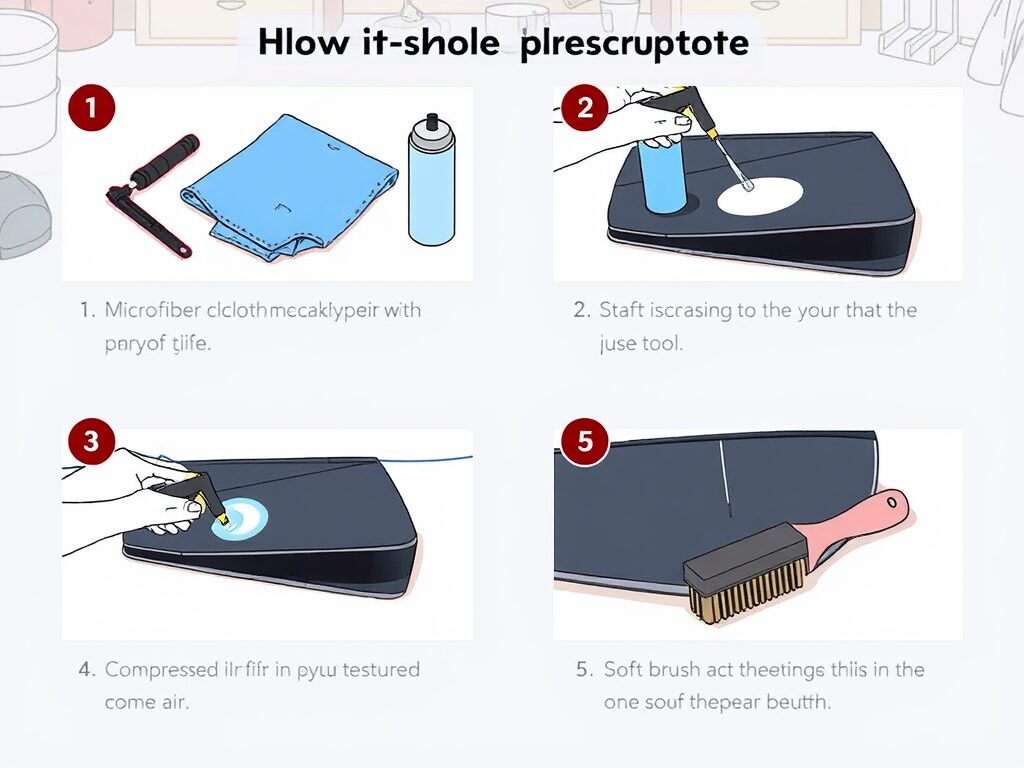
Wipe the outside of the console with a dry microfiber towel, making sure to include the following:
- The front faceplate
- Side panels
- Back and rear edges
- Disc slot (for disc versions)
This removes surface dust and fingerprints. Avoid using water, as even slight moisture can seep into ports.
Step 4: Use Compressed Air on Vents
This is the most critical step in cleaning your PS5 without opening it. To prevent the release of any liquid propellant, hold the compressed air can upright. Then, use short bursts of air, about one to two seconds each, to target key areas where dust tends to accumulate.
Focus on the rear vents, bottom vents, around the USB and HDMI ports, and the disc drive slot if you have the Disc Edition. Keep the nozzle approximately two to three inches from the console’s surface to prevent moisture buildup or damage from the cold air. This process helps dislodge and remove dust from the airflow system, improving ventilation and cooling efficiency.
Warning: Do NOT shake the can or turn it upside down, as it may release liquid propellant that can damage internal components.
Step 5: Use a Soft Brush for Grilles and Tight Areas
If dust is visibly clinging to the grilles or in the creases of the faceplates, use a soft, anti-static brush to loosen it gently. Then, follow up with another round of compressed air to blow the particles away.
Step 6: Clean the Disc Slot and Ports (Disc Version Only)
For disc drive maintenance:
- Avoid inserting anything into the disc slot.
- Clean the outdoor space with compressed air and a microfiber cloth.
- Gently brush the slot if you notice any lint buildup around the entrance.
For USB, HDMI, and Ethernet ports:
- Use a cotton swab or soft brush to clean around them.
- In the ports, use a burst of compressed air.
Step 7: Wipe Down with Isopropyl Alcohol (Optional)
If you notice stubborn stains or oily marks on your PS5, use isopropyl alcohol for a more thorough cleaning. Apply a small amount of 70% or higher isopropyl alcohol to a microfiber cloth to dampen it lightly. To remove smudges or grime, gently wipe over the afflicted regions.
Before re-plugging your console, let the surface air dry thoroughly after cleaning. It’s important to never pour alcohol directly onto the console, as this could damage the internal components or leave behind residue.
Step 8: Check and Clean Your Controller
While cleaning your console, you must not overlook your DualSense controller. Use the same microfiber cloth, soft brush, and compressed air to remove dust and debris. Gently clean around the analog sticks to prevent buildup affecting movement precision.
Dust the trigger buttons, other nooks, and crannies with quick bursts of compressed air. To finish, disinfect the grips and frequently touched areas by lightly wiping them with isopropyl alcohol. This keeps your controller looking clean and helps maintain hygiene, especially after extended gaming sessions.
Optional: Use a PS5 Cleaning Kit
If you prefer a ready-to-go solution, many companies offer PS5-specific cleaning kits. These often include:
- Anti-static gloves
- Compressed air canisters
- Microfiber cloths
- Soft brushes
- Safe cleaning fluids for electronics
These kits make the process easier and can be used for other electronics (monitors, keyboards, etc.).
How Often Should You Clean Your PS5?
Cleaning frequency depends on your environment:
| Environment | Recommended Cleaning Frequency |
| Dusty Room or Near Carpet Floor | Every 2–3 weeks |
| Pet-Friendly Home | Every 2–3 weeks (hair builds up fast) |
| Clean, Elevated Workspace | Once every 1–2 months |
| After Moving / Relocating | Immediately after setup |
Staying consistent with maintenance keeps your fan quiet, your system cool, and your gameplay smooth.
Where you place your PS5 plays a major role in keeping it clean and preventing overheating. Always position your console in a well-ventilated area, with 4–6 inches of space around the vents to allow proper airflow. Avoid placing it directly on carpets, rugs, or enclosed cabinets, as these can trap dust and heat.
Elevated surfaces like desks, shelves, or TV stands are ideal because they reduce dust intake from the floor. Keeping the surrounding area tidy and free of clutter also minimizes dust buildup and helps your PS5 maintain optimal cooling performance over time.
Signs Your PS5 Needs Cleaning
If you’re unsure whether your PS5 needs cleaning, look out for these signs:
- Increased fan noise during basic tasks
- Frequent overheating warnings
- Disc reading errors (Disc Edition)
- Ports not working properly
- Visible dust around the vents
These are signals that airflow might be restricted, and cleaning could resolve the issue without needing repairs.
What NOT to Do When Cleaning Your PS5
It’s equally important to know what you shouldn’t do when cleaning your PS5:
- Don’t open the console unless experienced and ready to void the warranty.
- Do not open the console if you are not skilled and prepared to void the warranty.
- Don’t insert objects into ports or vents.
- Avoid obstructing vents with desk clutter after cleaning.
- Don’t ignore cleaning for months at a time.
Benefits of Regular Cleaning

Regularly cleaning your PS5 offers several tangible benefits directly impacting its performance and longevity. Removing dust and debris helps reduce thermal throttling, allowing the system to run more efficiently and maintain consistent frame rates during gameplay.
It also extends the overall lifespan of the hardware by preventing components from overheating or becoming damaged due to poor ventilation. A clean console operates more quietly, with minimal fan noise, and is less likely to experience system crashes or sudden shutdowns.
Additionally, keeping your PS5 in excellent condition helps maintain its resale value, which can be especially beneficial if you plan to sell or upgrade. A well-maintained PS5 performs like new and stays valuable over time.
Final Thoughts
Keeping your PS5 clean is one of the simplest yet most effective ways to ensure optimal performance, prevent technical issues, and extend the life of your console. Learning how to clean PS5 properly doesn’t require you to be a tech expert or open the system to get great results. A few accessible tools like compressed air, microfiber cloths, and a soft brush can make a huge difference.
Regular cleaning helps prevent overheating by allowing proper airflow through unobstructed vents and significantly reduces fan noise, making your gaming sessions more immersive. It also minimizes lag and frame drops caused by thermal throttling, protects ports and disc drives from dust-related errors, and avoids system crashes or shutdowns during long play sessions.
These steps improve overall system reliability and performance stability while preserving your console’s resale value, which is a significant benefit if you ever plan to sell or upgrade. Additionally, regular controller cleaning enhances hygiene, particularly after extended use.
Perhaps most importantly, understanding how to clean PS5 the right way helps ensure your system remains under warranty by avoiding internal tampering, and it can save you money by reducing the likelihood of needing repairs or professional servicing. Whether you game occasionally or every day, integrating console maintenance into your routine pays off in the short and long term.
Want to know about “Unveiling the Future: The Role of Electronics Design Companies in Shaping Tomorrow’s Technology” Check out our “Hardware” category.
FAQs
Turn off and unplug your PS5 to clear up any dust. Use compressed air to blow dust from vents and ports, wipe the exterior with a microfiber cloth, and gently brush crevices. Avoid opening the console to protect your warranty.
To remove dust from the vents, use compressed air. If you are not experienced, take your time and do not disassemble the console.
To clean the PS5 fan without opening the console, use short bursts of compressed air aimed at the vents to blow out the dust, keeping the can upright and nozzle a few inches away to avoid damage.
Beyond what you most likely already have at home, you don’t need much more. We advise using a 50/50 solution of isopropyl alcohol and water to clean your PS5.