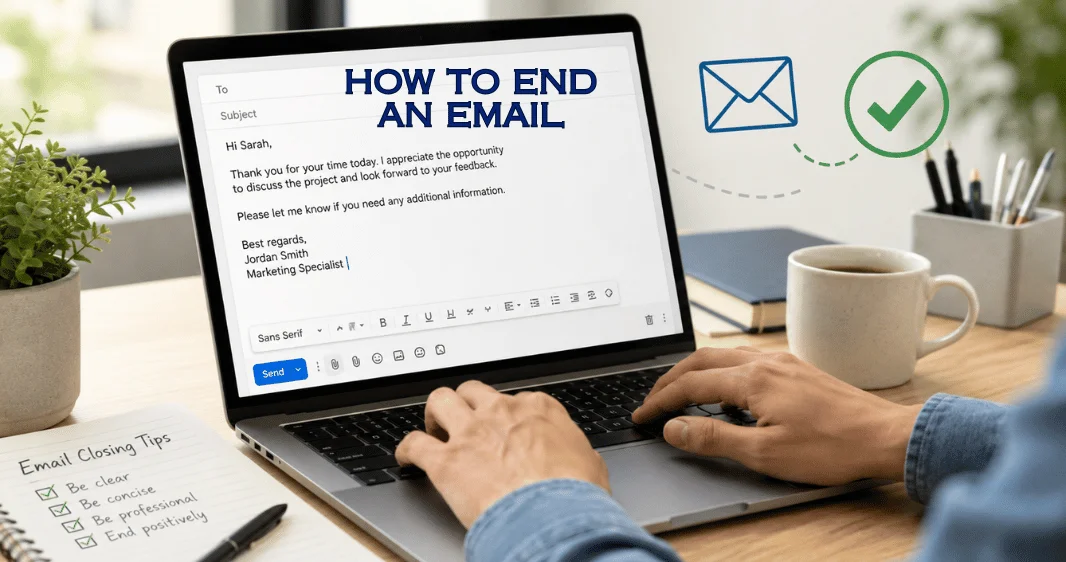
Knowing how to end an email is mostly about matching your final lines to the reader, your purpose, and the next action you want. A good ending closes the conversation without sounding abrupt, overly formal, or uncertain.
Short answer: End a professional message with one clear closing sentence, a sign-off that fits the relationship, and your name. Use “Best regards” or “Kind regards” for neutral business correspondence. Thank you when you’re asking for help and a warmer option only when the relationship already supports it.
Quick Guide to Choosing the Right Ending
| Situation | Useful closing line | Suitable sign-off |
| First professional contact | I look forward to hearing from you. | Best regards, |
| Requesting help | Thank you for taking the time to review this. | Thank you |
| Job application | Thank you for your time and consideration. | Sincerely |
| Client communication | Please contact me if you have any questions. | Kind regards, |
| Coworker or regular contact | I’ll send the update once it’s ready. | Thanks |
| Scheduling a meeting | I look forward to speaking with you. | Best |
Key Takeaways
- Finish the main thought before adding the sign-off.
- Tell the reader what should happen next when action is required.
- Match the level of formality to your relationship with the recipient.
- Use your full name when contacting someone for the first time.
- When uncertain, choose a neutral closing rather than an overly casual one.
What You’ll Need Before Writing the Ending
You don’t need a clever phrase. You need four pieces of information: who the recipient is, why you contacted them, what you want next, and how formal the conversation has been. A first message to a recruiter needs more formality than a weekly note to a teammate. A sales follow-up may need a clear next action. A thank-you message may need nothing more than a warm acknowledgment.
Your ending should also match the opening. “Dear Dr. Rahman,” followed by “Catch you later,” creates an obvious mismatch in tone. A casual opening and a stiff closing can feel equally unnatural.
How to End an Email in 6 Simple Steps
- Decide what you want the reader to do. Identify the next action before writing the final sentence. You may need a reply, approval, document, meeting time, or no action at all. Sales messages benefit from one clear next step. TechnoLoss also covers practical field sales follow-up strategies for conversations that need a response.
- Write one useful closing sentence. Make the final sentence do real work. If you need a reply, try: Please let me know which option works for you. For confirmation, use: Please confirm by Thursday. If no response is necessary, a simple Thank you for your time “may be enough.
- Choose a sign-off that matches the relationship. “Best regards” and “kind regards” work well in many professional settings. “Sincerely” is more appropriate for formal correspondence. Thanks works when the conversation is already friendly or when gratitude is central to the message.
- Add your name and useful contact details. Use your full name for new contacts. Add your role, company, phone number, or any other useful details the recipient may need. Routine internal conversations usually need less information.
- Compare the ending with the rest of the message. Read the opening and closing together. They should feel as if the same person wrote them for the same relationship. Adjust a sign-off that feels much warmer, colder, or more formal than the body of the message.
- Remove anything the reader doesn’t need. Delete repeated thanks, long quotations, oversized signature graphics, or last-minute requests that distract from the main purpose. A focused ending makes the next action easier to understand.
Professional Sign-Offs and When to Use Them
There isn’t one closing that fits every situation. The safest choice depends on the relationship and purpose.
| Sign-off | Tone | Good use |
| Best regards | Neutral and professional | Clients, coworkers, new contacts |
| Kind regards | Warm and professional | Clients, partners, helpful conversations |
| Sincerely | Formal | Applications, official correspondence |
| Respectfully | Highly formal | Sensitive or hierarchical communication |
| Thank you | Appreciative | Requests, assistance, completed favors |
| Thanks | Friendly and professional | Coworkers, familiar clients |
| Best | Brief and neutral | Established professional relationships |
| All the best | Friendly | People you already know |
| Warm regards, | Personal but professional | Stronger existing relationships |
If you’re contacting someone for the first time, a neutral choice is usually safer. Once a working relationship develops, you can often follow the tone already established in the conversation. Customer-facing teams may also need consistent standards across several channels. TechnoLoss’s cloud-based contact center guide explains how businesses bring customer communications together across digital and phone-based systems.
Closing Lines for Common Situations
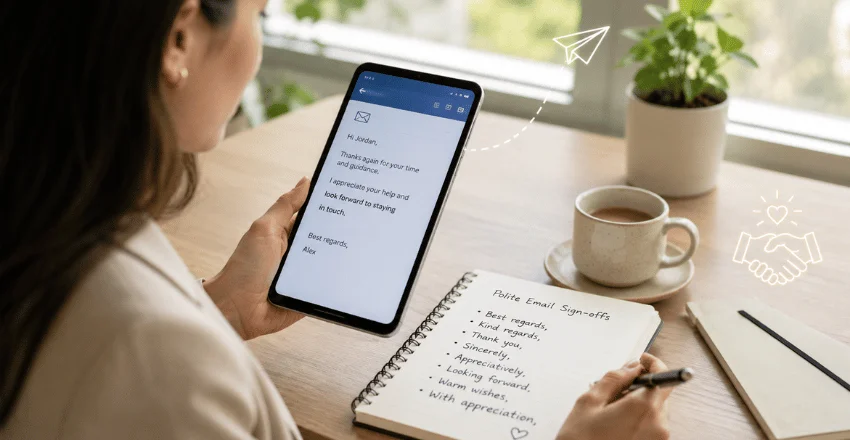
The sentence before your sign-off often matters more than the sign-off itself. It tells the reader whether you expect something from them.
When You Need a Reply
Try a sentence that states the request without adding pressure:
Please let me know which time works for you.
Could you confirm whether Tuesday is convenient?
I’d appreciate your feedback when you have a chance.
A specific request makes it easier for the recipient to respond.
When You’re Sending Information
If the message is mainly informational, close the loop rather than inventing a call to action:
Please contact me if anything needs clarification.
I’ve included the details above for your reference.
I’ll keep you updated if anything changes.
When You’re Asking for Help
Acknowledge the other person’s time without assuming they will agree to your request:
Thank you for considering my request.
I appreciate you taking the time to review this.
Please contact me if you need any additional details.
When You’re Following Up
Avoid making the recipient feel accused of not replying. Bring the subject back into view and give them an easy next step.
I wanted to follow up and see whether you had any questions.
Please contact me if you’d like me to resend the document.
If this week is busy, I’m happy to reconnect at a better time.
Complete Ending Examples You Can Adapt
For a Client
Please contact me if you’d like any changes before we move forward.
Kind regards, Alex Morgan, Project Manager
For a Hiring Manager
Thank you for your time and consideration. I look forward to hearing from you.
Sincerely, Alex Morgan 555-0102
When Asking for Assistance
Thank you for reviewing the request. Please contact me if you need more information.
Best regards, Alex Morgan
For a Follow-Up
Please let me know whether Friday still works for a brief call. I’m happy to suggest another time if needed.
Best, Alex
For a Coworker
I’ll send the revised file once the final figures are confirmed.
Thanks, Alex
The words can change, but the structure remains useful: finish the thought, indicate the next step, choose an appropriate sign-off, and identify yourself.
Formatting the Closing Correctly
A clean ending is easy to scan. Put the closing sentence at the end of the final paragraph. Leave a line before your sign-off, and then place your name on the next line. In standard business correspondence, write “Best regards,” rather than capitalizing every word. A comma after the sign-off is a common convention.
Your email signature can include your full name, job title, company, and relevant contact information. Add only details that help the recipient. A long block of slogans, images, disclaimers, and social links can bury the useful information. For ongoing conversations with coworkers, the signature can be shorter. Your name may be enough when everyone already knows who you are.
Closings That Can Create the Wrong Impression
Some endings fail because they don’t fit the relationship, not because the words themselves are always wrong. Avoid text-message abbreviations such as TTYL in formal business correspondence. Be careful with affectionate closings when the relationship is strictly professional. Cheers can work in familiar or regional business settings, but it may be too casual for a first contact.
“Thanks in advance” can also sound as if you assume the recipient will agree. When the request requires effort or a decision, Thank you for considering this gives the other person more room to respond.
Don’t stack several endings together. “Thanks again, best regards, have a great day” sounds less confident than one suitable closing.
Make the Last Two Lines Work for You
A strong ending doesn’t need to sound impressive. It needs to make the tone and next step clear. Finish your thought, choose a sign-off that suits the relationship, and give the recipient enough information to respond. If you’re uncertain, stay neutral and professional rather than forcing warmth or formality.
For more practical tutorials, browse the TechnoLoss how-to guides and keep the same principle in mind: clear instructions usually work better than unnecessary complexity.
Frequently Asked Questions
If you’re learning how to end an email professionally, write one final sentence that completes the purpose of the message, then use a neutral professional sign-off and your name. Best regards, “Kind regards,” and “Sincerely” cover many business situations. If you need a response, make the desired next step clear before the sign-off.
“Best regards” gives the phrase a slightly warmer tone. “Kind regards” is another professional option. “Best” is shorter and suits established relationships, while “Thank you” works when gratitude is central to the message.
Keep the tone neutral and courteous. Best regards, “Kind regards” and “Sincerely” are dependable choices. Use your full name and include useful professional contact details so the recipient can identify you easily.
Thank the reader for their time, then make a polite and specific request. Please let me know whether Thursday works for you is clearer and softer than assuming the person has already agreed.
It can work in an ongoing conversation with coworkers or familiar contacts. For a new client, recruiter, customer, or other external contact, adding a suitable sign-off usually makes the message look more polished.
Start with your full name. Add your job title, company, phone number, or another contact method when those details are useful. Keep the block short enough that the recipient can find the important information quickly.