A TikTok profile picture downloader helps you view and save a larger version of an account’s avatar. These browser-based tools usually need only a username or public profile link. You normally don’t need to install software or sign into your TikTok account. Quick answer: Copy the TikTok username or profile URL, then paste it into a compatible profile picture downloader. The service retrieves the available avatar and displays a larger version for saving. Image quality depends on the source TikTok provides, so no downloader can guarantee HD or 4K quality.
| Quick detail | What to know |
|---|---|
| What you need | TikTok username or profile URL |
| Installation | Usually not required |
| TikTok login | Usually not required |
| Common output | JPG, JPEG, PNG, or another supported image format |
| Image quality | Depends on the source profile image |
| Mobile support | Most browser tools work on iPhone and Android |
| Desktop support | Works through modern web browsers |
| Best use | Saving your own image or permitted public images |
What Is a TikTok Profile Picture Downloader?
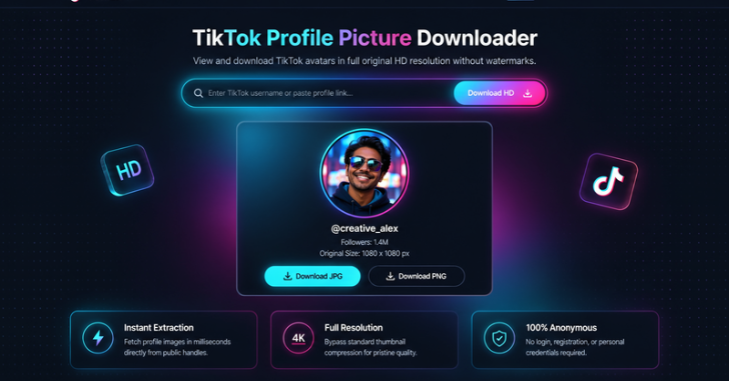
A TikTok Profile Picture Downloader profile picture downloader is a web tool designed to retrieve an account avatar at an available larger size. TikTok usually displays avatars as small circles throughout its interface. A downloader can make the underlying square image easier to view and save. TikTok’s developer documentation confirms that its profile data can include standard and higher-resolution avatar fields. That means different image versions can exist for the same account. The exact dimensions available can still vary between users. This distinction matters because several websites advertise fixed HD or 4K downloads. Those claims can create unrealistic expectations about image quality. A tool cannot recover detail that was absent from the source image.
How to Use a TikTok Profile Picture Downloader
The basic process is similar across most web-based tools. You provide an account identifier, review the returned picture, and save the file. The exact button names may differ between services.
1. Open the TikTok profile you want to check. 2. Copy the account’s username or full profile link. 3. Open a trusted profile picture downloader in your browser. 4. Paste the username or profile URL into its search field. 5. Select the view, search, or download option. 6. Confirm that the displayed account matches your intended profile. 7. Save the available image to your device.
Double-check the username before saving anything from an unfamiliar account. TikTok display names can change and may resemble another creator’s name. The unique @username is usually a more reliable identifier. If you cannot find the saved image afterward, check your browser’s usual download location. Technoloss explains common storage locations in its guide to finding downloaded files. The correct folder depends on your browser, device, and download settings.
How to Copy a TikTok Profile Link
On a phone, open the TikTok account and select the sharing option. Choose the option for copying the profile link when it appears. You can then paste that address into the downloader’s input field. Desktop users can usually copy the address directly from their browser. A TikTok profile address normally includes the account’s unique username. Copy the complete address rather than manually retyping a complicated handle. Some download services also accept a username without the full URL. Support varies between individual websites and services. Using the full profile link can reduce mistakes when usernames contain periods or underscores.
What Image Quality Should You Expect?
There is no reliable universal resolution for every TikTok avatar. TikTok’s official developer documentation identifies both standard profile images and higher-resolution avatar fields. It does not promise one fixed maximum size for every account. The downloaded file therefore depends on the picture stored for that specific user. Someone who uploaded a smaller source image may receive a smaller result. A larger source can provide more usable detail when TikTok makes that version available. Be cautious with websites promising guaranteed 2K or 4K results from every account. Increasing pixel dimensions does not automatically restore missing image detail. Artificial enlargement can make a file bigger without making the source clearer.
Downloading on iPhone, Android, Windows, and Mac
The process works similarly on an iPhone because most downloader services run inside Safari or another browser. After saving, check the browser’s download manager or the Files app. Some image-saving actions can place pictures inside Photos instead. Android users can normally use Chrome or another modern browser. Saved files often appear inside Downloads or a file-management application. Your browser settings can change the default save location. Windows and Mac users usually have the simplest file-management experience. Downloads normally appear inside the operating system’s standard Downloads folder. Technoloss’s Gadgets and Apps section also covers useful software and device-related guides.
Downloader Versus Screenshot: Which Is Better?
| Method | Picture size | Cropping | Extra interface elements | Convenience |
|---|---|---|---|---|
| Profile picture downloader | Potentially larger | Usually square source | Usually none | Fast |
| Phone screenshot | Limited by screen display | Often circular | Often included | Easy |
| Desktop screenshot | Limited by displayed size | May require cropping | Possible | Easy |
A screenshot captures whatever your screen currently displays. That can include TikTok buttons, text, backgrounds, or circular cropping. Enlarging that screenshot later will not restore missing details. A downloader can be more useful when you need the available source avatar. It can also avoid manual cropping after taking a screenshot. Results still depend on what the downloader can legitimately retrieve. For your own account, keeping the original image file remains the strongest option. The original upload may have better quality than any processed platform copy. Save important profile images before replacing or editing them.
Is a TikTok Profile Picture Downloader Safe?
Safety depends heavily on the website you choose. A simple avatar lookup should not require your TikTok password. Avoid services asking you to install unknown programs or enter account credentials. You should also inspect the site before approving notifications or downloading unexpected files. Close pages that redirect repeatedly or imitate TikTok’s login screen. Technoloss has more general safety coverage in its Security section. A trustworthy tool should explain what information it needs and what it retrieves. The requested input should usually be limited to a username or profile address. Treat requests for passwords, payment details, or unrelated permissions as warning signs.
Can You Download Someone Else’s TikTok Profile Picture?
Technical access to an image does not automatically grant permission to reuse it. A profile photo may contain copyrighted photography, artwork, branding, or another person’s likeness. Saving and republishing are separate actions with different implications. Personal reference or saving your own avatar carries fewer concerns than impersonating someone. Avoid using another person’s photo to create a misleading account. You should also avoid presenting another creator’s artwork or branding as your own. US users should consider copyright, publicity, and impersonation concerns before republishing images. The exact legal situation depends on the image and intended use. Permission from the owner is the safest approach when reuse goes beyond personal reference.
Can You Download Pictures From Private Accounts?
Do not assume a downloader can bypass TikTok privacy controls. Services can only retrieve information that is available through their supported access method. A tool claiming private-profile bypasses deserves extra caution. TikTok’s developer APIs also use defined permissions and authorization for certain profile information. They are not designed as a hidden route around account controls. Legitimate software should respect the platform’s access restrictions. Availability may also change as TikTok updates its website, APIs, or technical systems. A downloader that works today can stop working after a platform change. Trying a reputable alternative is safer than installing suspicious software.
Why a TikTok Profile Picture Download May Fail
An incorrect username is one of the most common causes of failed searches. Accounts can also be renamed, removed, suspended, or temporarily unavailable. Copying the full profile URL can reduce typing mistakes. The downloader itself may also experience temporary problems. TikTok can change how profile information is delivered or limit automated requests. Waiting and trying another reputable service may solve a temporary failure. Browser protections can occasionally interfere with download buttons or pop-up windows. Try another modern browser before changing security settings. Avoid disabling device security merely to make an unknown downloader work.
How to Choose a Good Downloader
Choose a tool that clearly explains its input requirements and limitations. It should work without requesting your TikTok password. Clear privacy information is another positive sign. Useful services also show the account name before starting a download. This check helps prevent you from saving an image from the wrong profile. A simple preview is more useful than unnecessary account information. Avoid choosing a service because it promises impossible image quality. Look for realistic descriptions of the available source file instead. A good tool should state that results can vary between accounts.
Save the Right Image and Use It Responsibly
A TikTok profile picture downloader can be useful when the app’s small avatar view is not enough. Use a service that requires only the information needed for the lookup. Confirm the profile before saving the returned picture. Keep expectations realistic about resolution and supported accounts. TikTok provides profile-image data in different forms, but available quality can vary. Avoid services making unsupported promises about guaranteed 4K downloads. Finally, respect ownership and privacy when using an image you did not create. Saving a file does not transfer copyright or permission to impersonate its owner. Use downloaded profile pictures only for legitimate purposes. —
Frequently Asked Questions
How does a TikTok profile picture downloader work?
A TikTok profile picture downloader takes a username or profile link and searches for an available avatar image. It then presents that image in a form your browser can display or save. The exact retrieval method depends on the service.
Can I download a TikTok profile picture in HD?
You may receive a higher-resolution image when TikTok provides one for that account. TikTok’s developer documentation includes a field for higher-resolution profile images. However, no fixed HD resolution is guaranteed for every user.
Do I need a TikTok account?
Many third-party browser tools do not require you to log into TikTok. They typically work from a username or profile URL. Avoid entering your password into an unrelated download website.
Will someone know if I save their profile picture?
A normal image download is different from TikTok’s profile-view features. Third-party services can have different technical processes and privacy practices. Do not assume anonymity unless the service clearly explains how its requests work.
Can I save my own TikTok profile photo?
Yes, and keeping your original upload is usually the better choice. The original file can preserve more quality than a processed platform copy. Save it somewhere secure before changing your profile image.
Why does the downloaded picture look blurry?
The source avatar may have been uploaded at a small resolution. TikTok may also provide different image versions for different uses. A downloader cannot create genuine missing detail from a low-resolution source.