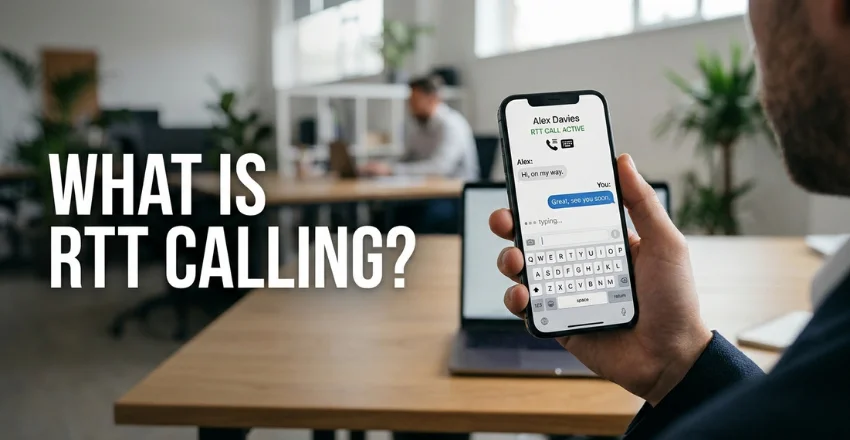
If you are wondering what is RTT calling, it means Real-Time Text communication during a phone call. Your text appears on the other person’s device as you type each character. RTT mainly helps people with hearing or speech disabilities communicate without relying only on voice.
Quick answer: RTT, or Real-Time Text, lets two people type during a live phone call. Text can appear character by character instead of waiting for a Send button. Modern iPhones and many Android phones support RTT, although availability depends on your device, carrier, and network.
| RTT feature | What it means |
|---|---|
| Full name | Real-Time Text |
| Main purpose | Text communication during live phone calls |
| Sending method | Characters can appear while you type |
| Extra hardware | Usually not required |
| Audio support | Voice and text may work together |
| Common devices | iPhone and many Android phones |
| Carrier requirement | Carrier and network support may be required |
| U.S. emergency use | Supported in certain configurations for 911 calls |
What Is RTT Calling and How Does It Work?
RTT creates a text conversation inside a phone call instead of using a separate messaging service. Unlike SMS, you usually do not need to finish a message before sharing it. The person receiving the call can see text developing while you type.
That immediate transmission makes the exchange feel closer to spoken conversation. Both people may also use audio when their devices and carriers support it. RTT therefore gives callers another communication method without replacing the normal calling system.
Google describes RTT as text communication that works during a phone call. The company also notes that RTT does not require additional accessories. Carrier support can still affect which features are available on a particular Android phone.
RTT Calling vs. Regular Text Messaging
RTT and standard text messaging may look similar, but they operate differently. A normal text usually requires you to compose a message and send it. RTT can transmit characters immediately during an active phone call.
| Feature | RTT | SMS or messaging |
|---|---|---|
| Requires a live call | Yes | No |
| Text appears while typing | Usually | Usually no |
| Send button required | Not always | Usually |
| Voice may work simultaneously | Yes | Depends on app |
| Designed for accessibility | Yes | Not primarily |
| Conversation ends when call ends | Yes | No |
RTT also follows the structure of a regular call. One person places the call, another answers, and either caller can eventually hang up. Messages in an SMS conversation remain separate from that calling process.
This difference matters when contacting organizations that rely on telephone systems. Some government services, businesses, and emergency systems still depend heavily on calls. RTT gives eligible users a text-based way to communicate through those systems.
Who Is RTT Designed For?
RTT primarily supports people who are deaf, hard of hearing, or have speech disabilities. It can reduce the need to understand spoken audio during a call. It can also help callers who communicate more comfortably through typed text.
RTT is an accessibility feature, but its usefulness is not limited to one group. Some people may prefer typing in noisy environments or difficult communication situations. Availability still depends on the phone and mobile network being used.
Modern smartphones usually place these controls inside accessibility or calling settings. You normally do not need a separate keyboard or dedicated communication device. That makes RTT easier to access than many older telephone accessibility systems.
How Is RTT Different From TTY?
TTY stands for teletypewriter and is an older text-based telephone technology. Traditional TTY systems can require specialized equipment or compatible hardware. RTT was developed for modern digital networks and smartphone software.
RTT can also support more natural back-and-forth communication. Verizon explains that both parties can send and receive text without taking traditional TTY turns. RTT can also support a larger range of characters than older TTY equipment.
The technologies can still work together in many situations. AT&T says RTT users can communicate with compatible landline TTY users. Some RTT functions may become limited when the other person uses older TTY equipment.
How to Turn On RTT on an iPhone
Apple includes Software RTT and TTY controls within iPhone accessibility settings. The precise options can depend on your carrier and iOS configuration. You can check Apple’s current RTT and TTY instructions before changing your settings.
Use these general steps:
- Open Settings on your iPhone.
- Select Accessibility.
- Tap RTT/TTY.
- Turn on Software RTT.
- Choose whether characters should send immediately.
- Open the Phone app and select a contact.
- Choose an RTT/TTY calling option when available.
Apple says an iPhone can default to RTT when the carrier supports the protocol. You can also configure whether characters transmit immediately as you type. Carrier availability remains an important part of the setup.
If you manage several mobile lines, confirm which SIM or eSIM handles your calls. TechnoLoss explains how to identify each line in its guide to finding your phone number. That check can prevent confusion on dual-SIM devices.
How to Turn On RTT on Android
Android RTT settings vary more because manufacturers customize their phone software. Google provides general instructions through its Android Accessibility support page. Samsung, Motorola, and other brands may place the controls in different menus.
A common setup looks like this:
- Open the Phone or Settings app.
- Find Accessibility or Phone settings.
- Select Real-Time Text or RTT.
- Choose when the RTT button should appear.
- Open the Phone app.
- Select a contact or enter a number.
- Tap the RTT option when available.
Some phones offer Always visible and Visible during calls options. These choices control when the RTT button appears. They do not guarantee that every carrier supports every RTT function.
Messaging problems are separate from RTT problems because the services work differently. If ordinary texts also fail, TechnoLoss’s message blocking troubleshooting guide can help identify carrier or SIM issues. Fixing SMS does not necessarily change RTT availability.
Does RTT Use Voice Minutes or Mobile Data?
RTT usually operates as part of a telephone call rather than a normal messaging session. Google says RTT uses call minutes like a voice call on supported Android configurations. Your carrier’s normal plan rules can therefore apply.
AT&T says it does not charge an additional fee specifically for its RTT service. Voice minutes or data may still be billed under the customer’s wireless plan. Other carriers can apply their own plan conditions.
Check your carrier before assuming every implementation works identically. Device compatibility can also change after software or network updates. Your carrier’s accessibility support page is the safest place for account-specific information.
Can You Make a 911 Call With RTT?

RTT can support emergency calls in the United States, but compatibility varies. Google says users can call emergency services using RTT on supported carrier configurations. AT&T also states that customers can reach 911 using its Real-Time Text service.
An emergency center may answer through older TTY technology instead of full RTT. That can limit some real-time functions or the characters it supports. Your location, carrier, device, and emergency network can all affect the experience.
Don’t wait for an emergency to learn your phone’s accessibility controls. Check your carrier’s current RTT and emergency-calling guidance beforehand. Keep another accessible communication option available whenever possible.
Can RTT Calls Include Voice?
Many RTT calls can carry text and audio during the same connection. This allows one person to speak while another types when the equipment supports both methods. It can make communication more flexible for people with different accessibility needs.
Verizon describes RTT as supporting text while a telephone conversation is taking place. Apple also lets iPhone users control audio during supported RTT sessions. Exact controls can differ between operating systems and carrier networks.
You may notice your phone warming during longer calls or heavy multitasking. Mild heat can be normal during demanding phone activity. TechnoLoss covers common causes in its guide explaining why a phone gets hot.
Why Is RTT Showing on My Phone?
Seeing an RTT option does not mean something is wrong with your phone. Manufacturers include it as part of their accessibility features. Your carrier or software version may determine whether the button appears automatically.
Some Android phones let you keep the RTT button visible during every call. Others hide it until an RTT conversation begins. iPhones can also display RTT or TTY controls when those accessibility features are enabled.
If the feature appeared unexpectedly, review your Accessibility and Phone settings. You can disable outgoing RTT options if you do not use them. Incoming accessibility behavior can still depend on your carrier and operating system.
Is RTT Calling Private?
RTT should be treated with the same care as other phone communications. Your device may retain call information or an RTT transcript depending on its software. Google says transcript storage behavior can differ between Android manufacturers.
On supported Pixel devices, Google says RTT transcripts can be viewed through call details. Other manufacturers may store or manage transcripts differently. Check your device documentation before typing sensitive personal information.
Deleting a call record may also affect saved transcripts on certain devices. That behavior should not be assumed across every phone. Review your manufacturer’s privacy and accessibility documentation for exact details.
Frequently Asked Questions
What is RTT calling on my phone?
What is RTT calling refers to Real-Time Text communication during a telephone call. It lets another person see text while you type instead of waiting for a complete message. It is primarily an accessibility feature for people with hearing or speech disabilities.
Is RTT the same as texting?
No, RTT is not the same as SMS, RCS, or an internet messaging app. RTT works within a live telephone call and can transmit text immediately. Standard messaging normally exists independently of a phone call.
Does the other person need RTT enabled?
The other person’s device and network must support compatible text calling for full RTT functionality. Some systems can communicate with older TTY equipment instead. An unsupported destination may fall back to ordinary voice behavior.
Can I turn RTT off?
You can normally change outgoing RTT preferences through your phone’s accessibility or calling settings. The exact menu depends on your phone manufacturer and carrier. Review current Apple, Google, or carrier instructions before changing accessibility settings.
Does RTT cost extra?
Many U.S. carriers do not charge a separate fee specifically for RTT. Normal calling, minute, or data rules may still apply to the connection. Check your wireless plan because billing policies can differ between providers.
Can RTT work with 911?
Supported phones and carrier networks can provide RTT access to emergency services in the United States. The emergency center may use TTY equipment, which can limit certain RTT features. Carrier and local emergency-system compatibility should be checked before relying on it.
The Bottom Line
RTT lets smartphone users type during an active phone call. Text can appear as it is entered, making conversations more immediate than ordinary messaging. It is especially valuable when spoken communication is difficult or inaccessible.
Most modern implementations require no extra hardware, but support is not universal. Your phone model, software, carrier, and network all affect the available features. Apple and Android users should check official device and carrier instructions for their specific setup.
If RTT appears on your phone unexpectedly, you usually have no reason to worry. It is a built-in accessibility tool, not a sign of malware or a damaged device. Review your accessibility settings and choose the visibility options that suit your needs.