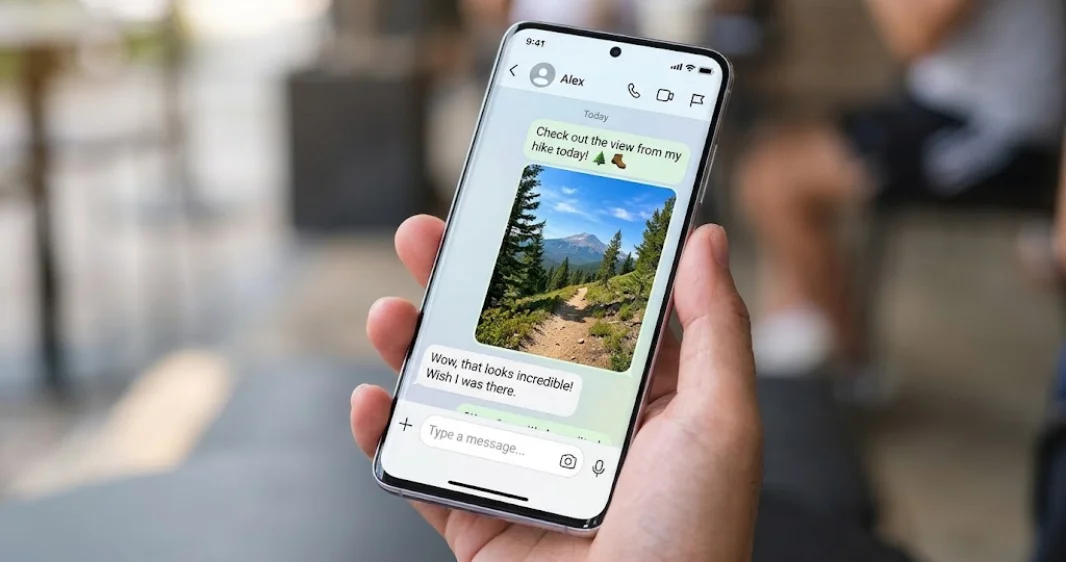
If you’re asking what MMS messaging is, you’ve probably seen the term inside your phone’s Messages settings. MMS stands for Multimedia Messaging Service. It lets phones send pictures, videos, audio, and other media through carrier messaging. Direct answer: MMS is a carrier-based messaging standard for sending multimedia between phones. It handles content that ordinary SMS cannot, including photos, audio, and video. Modern phones may use MMS when richer RCS or iMessage services are unavailable.
| MMS fact | What it means |
|---|---|
| Full name | Multimedia Messaging Service |
| Main purpose | Sending photos, video, audio, and multimedia texts |
| Connection | Usually requires mobile data and carrier support |
| Works on | iPhone, Android, and many older mobile phones |
| Compared with SMS | MMS supports media; SMS mainly carries text |
| Compared with RCS | RCS supports larger files and richer messaging features |
| Encryption | Traditional MMS is not end-to-end encrypted |
| U.S. cost | Depends on your carrier and wireless plan |
What’s MMS Messaging and What Does It Mean?
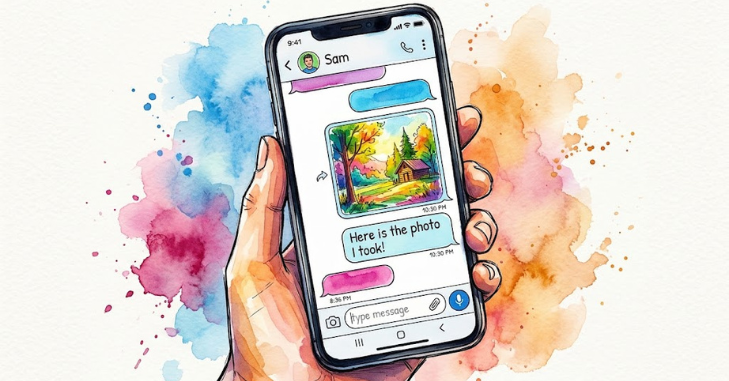
What’s MMS Messaging? MMS is short for Multimedia Messaging Service. The standard expanded traditional mobile texting beyond plain written messages. NIST defines it as messaging that can carry text, graphics, photographs, audio, and video clips. A simple picture text is a common MMS example. Short video clips, audio files, and some group conversations can also use the service. Your phone normally chooses the appropriate messaging method without asking you each time. MMS remains useful because it works through carrier messaging systems. The recipient usually doesn’t need WhatsApp, Messenger, or another matching app. Carrier support and an eligible wireless plan are still required.
MMS vs. SMS: What Is the Difference?
SMS stands for Short Message Service and mainly handles plain text. Standard SMS messages traditionally support up to 160 characters. MMS adds multimedia and permits carriers to handle larger messages. The difference matters most when you attach something. A plain text may travel as SMS, while a photo can trigger MMS. Group conversations may also use MMS when RCS or another internet-based service is unavailable.
| Feature | SMS | MMS |
|---|---|---|
| Plain text | Yes | Yes |
| Photos | No | Yes |
| Video | No | Yes |
| Audio | No | Yes |
| Group messaging | Limited | Supported on compatible services |
| Mobile data | Usually not required | Usually required |
| End-to-end encryption | No | No |
| File compression | Not applicable | Common |
MMS file limits can vary by carrier and device. Photos and videos may therefore look compressed after delivery. For high-resolution media, RCS or an internet messaging service may provide better results.
How Does an MMS Message Work?
Your phone first prepares the attached media for delivery. The message then passes through infrastructure operated by your wireless provider. A Multimedia Messaging Service Center, commonly called an MMSC, helps route that content toward the recipient. The receiving carrier then delivers compatible media to the other phone. Carriers can resize or compress files during this process. Large videos can consequently lose noticeable image quality compared with internet-based messaging. MMS generally needs an active mobile data connection on modern Android devices. Google specifically recommends checking your data connection when MMS fails. It also recommends resetting APN settings when carrier configuration appears incorrect.
Is MMS the Same as iMessage?
MMS and iMessage are different technologies. Apple’s iMessage uses an internet connection and works between supported Apple devices. It also supports richer media, read receipts, typing indicators, and end-to-end encryption. Traditional MMS uses carrier messaging instead. Apple says SMS and MMS conversations aren’t end-to-end encrypted. They may appear as green messages when iMessage or RCS is not being used. A green bubble doesn’t automatically mean a message used MMS anymore. Current iPhones can also use RCS with supported carriers. That means green conversations can involve RCS, SMS, or MMS.
How Is MMS Different From RCS?
RCS, or Rich Communication Services, is a newer messaging standard. It supports higher-resolution media, typing indicators, read receipts, and improved group conversations. Google describes it as a more dynamic messaging option than traditional SMS and MMS. RCS can also operate over Wi-Fi or mobile data. MMS normally relies on your carrier’s multimedia messaging service and mobile data. RCS availability still depends on your device, messaging application, carrier, and recipient. Current Android phones commonly support RCS through Google Messages. Compatible iPhones also support carrier-provided RCS. Verizon, for example, supports RCS on both Android and iPhone devices.
Should MMS Messaging Be On or Off?
Most people should leave MMS enabled when their carrier supports it. Turning it off can prevent some picture messages and multimedia group conversations from working. It can also affect fallback messaging when RCS or iMessage is unavailable. There is little benefit from disabling it unless you have a specific reason. Older or limited wireless plans may charge differently for multimedia messaging. Travelers should also check international messaging charges before sending media abroad. You should review suspicious multimedia messages carefully. Traditional MMS lacks the end-to-end encryption available with some newer services. Avoid opening unknown links or unexpected attachments from unfamiliar senders.
How to Enable MMS on an iPhone
Apple manages MMS through the Messages settings and your carrier configuration. Settings can differ slightly between iOS versions and wireless providers. Your carrier must also support SMS and MMS on your plan. Use these checks:
- Open Settings on your iPhone.
- Open Apps, then select Messages.
- Look for the SMS/MMS messaging options.
- Confirm MMS is available for your active mobile line.
- Check cellular service if multimedia messages still fail.
- Contact your carrier if the MMS option is missing.
If you use multiple SIMs or eSIMs, verify the correct line first. TechnoLoss explains several ways to identify the phone number attached to your line. That check can prevent troubleshooting the wrong SIM.
How to Enable or Fix MMS on Android
Android settings vary between Google Pixel, Samsung Galaxy, and other manufacturers. Google Messages normally handles MMS automatically when your carrier supports it. Mobile data and correct carrier settings remain important. Start by checking Google Messages and your cellular connection. Confirm the app is your default messaging application. Google also recommends verifying carrier support, your plan balance, signal, SIM status, and airplane mode. If texts work but picture messages fail, focus on MMS-specific settings. Resetting the APN to its carrier defaults can sometimes resolve configuration problems. Avoid copying APN values from random websites because carrier settings differ.
Why Won’t My MMS Send or Download?
A failed multimedia message doesn’t automatically mean your phone is damaged. The cause may involve your connection, plan, carrier settings, SIM, recipient, or message size. Checking the failure pattern can narrow the problem quickly. Common causes include:
- Mobile data is disabled.
- The phone has weak cellular service.
- Your wireless plan doesn’t support MMS.
- Carrier APN settings are incorrect.
- The attached file is too large.
- Your active SIM or eSIM is incorrect.
- Carrier messaging is temporarily unavailable.
- Account-level message blocking is enabled.
Try sending a plain SMS to another working number first. If ordinary texts also fail, investigate your mobile line or carrier account. TechnoLoss has a detailed guide for resolving message blocking and SMS, MMS, or RCS failures. Internet trouble can create confusion when RCS works differently from carrier messaging. If several connected services are failing, check your connection separately. The TechnoLoss guide on why Wi-Fi does not work properly can help isolate that issue.
Does MMS Cost Money in the United States?
MMS charges depend on your wireless provider and plan. Many current U.S. plans include picture and video messaging within their messaging allowance. Older, prepaid, international, or specialized plans can apply different charges. Verizon states that messaging rates depend on the customer’s plan. Its unlimited messaging terms include qualifying picture and video messages within the United States. Other carriers can set different terms, so checking your own plan remains safest. International MMS deserves extra attention. Availability can vary by destination and foreign network. Verizon, for example, says international multimedia coverage is limited to supported countries and operators.
Is MMS Messaging Secure?
Traditional MMS does not provide end-to-end encryption. Apple and Google both distinguish that limitation from encrypted messaging options available through newer services. Someone needing stronger privacy should understand which protocol a conversation uses. RCS security depends on the participants and providers involved. Google Messages supports end-to-end encryption between supported Google Messages users. Cross-platform availability and encryption support can differ. iMessage also offers end-to-end encryption within Apple’s ecosystem. These options make internet-based messaging preferable for sensitive conversations. MMS remains useful mainly for compatibility and carrier-based media delivery.
When Should You Use MMS?
MMS makes sense when you need to send media through regular phone messaging. It can provide a fallback when richer messaging services aren’t available. The recipient also avoids installing a separate social or messaging application. For large photos and long videos, RCS can be a better choice. Messaging applications can also preserve higher quality and provide more privacy features. Your phone may select between these services automatically. Understanding the displayed message type helps when something stops working. Google Messages can show whether a message will use data, SMS, or MMS. That information can quickly separate carrier problems from internet messaging problems.
The Bottom Line
MMS is the technology behind many traditional picture and multimedia texts. It extends basic SMS by supporting photos, video, audio, and other richer content. Carrier support, mobile data, and your wireless plan can determine whether it works correctly. Today, MMS often operates alongside SMS, RCS, and services such as iMessage. Knowing which protocol your phone uses makes troubleshooting much easier. If multimedia texts keep failing, check mobile data and carrier settings before resetting your device.
Frequently Asked Questions
What’s MMS Messaging on a Phone?
It means your phone can use Multimedia Messaging Service for media-rich texts. These messages can contain pictures, audio, videos, or additional multimedia content. They are handled through your wireless carrier rather than a standalone messaging application.
Is an MMS Message a Normal Text?
It appears inside the same messaging application as ordinary texts. The technology underneath is different because MMS supports multimedia content. Your phone usually manages that distinction automatically.
Why Did My Text Change to MMS?
Adding media can cause a message to switch from SMS to MMS. Some group messages can also use the multimedia standard. Your phone, carrier, and messaging application determine which available protocol gets selected.
Does MMS Need Mobile Data?
On modern Android phones, MMS generally requires a working data connection. Google specifically tells users to verify data when multimedia messages fail. Carrier implementations can vary, so your provider remains the final authority.
Can MMS Work Without Wi-Fi?
Yes, because MMS is a carrier service rather than a Wi-Fi messaging system. Google distinguishes MMS from RCS by stating that MMS uses mobile data. RCS can use either Wi-Fi or mobile data.
Is MMS Better Than SMS?
Neither format is universally better. SMS works well for simple text, while MMS supports photos, video, and audio. RCS or encrypted messaging services may be preferable when quality and advanced features matter.